/Yamaha
Redesigning Yamaha’s digital experience for riders
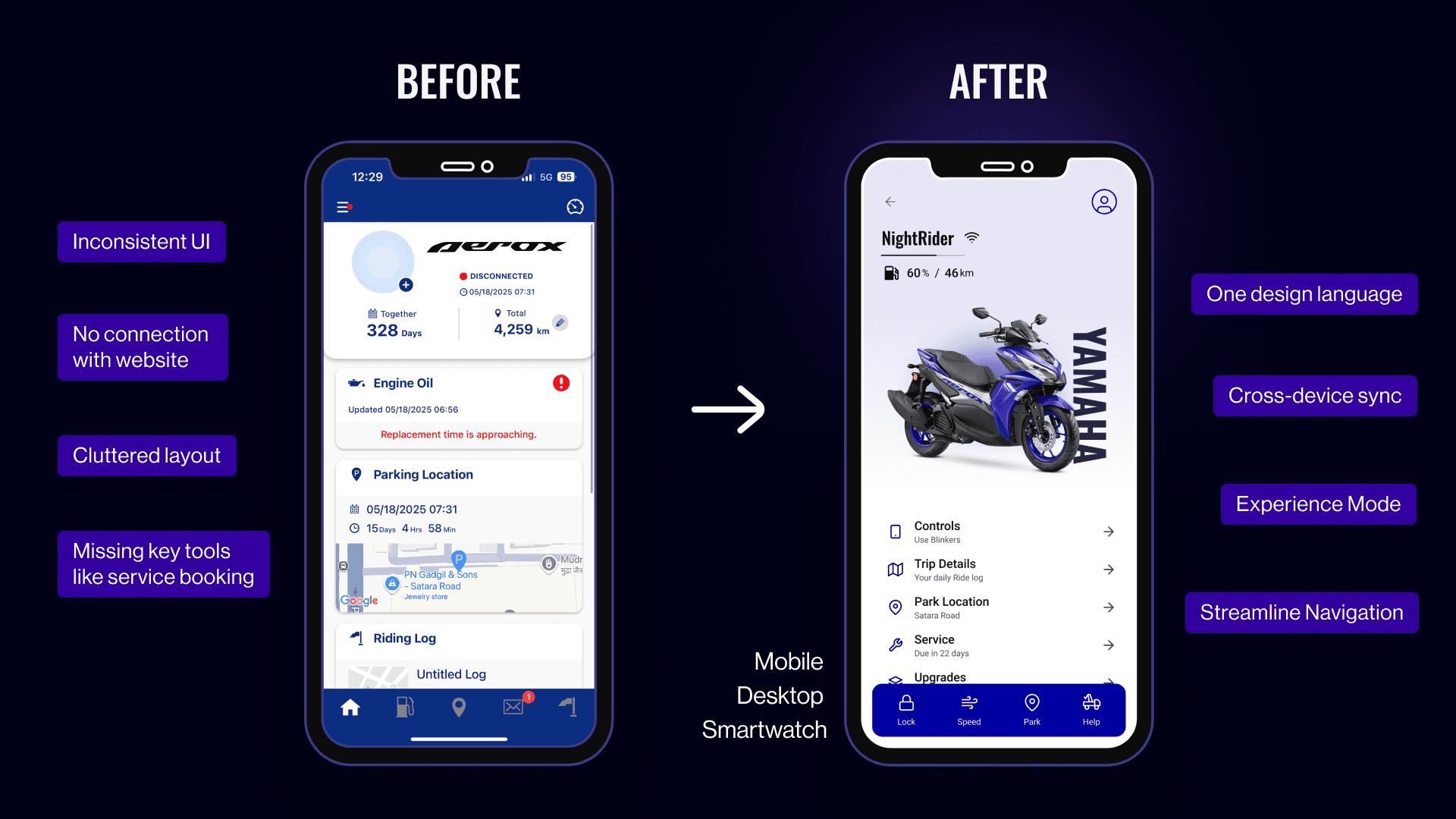
Yamaha’s digital platforms are inconsistent. As a new owner, I saw firsthand how the app and website lacked harmony. This project began with a simple idea—what if owning a Yamaha felt smooth across every screen?
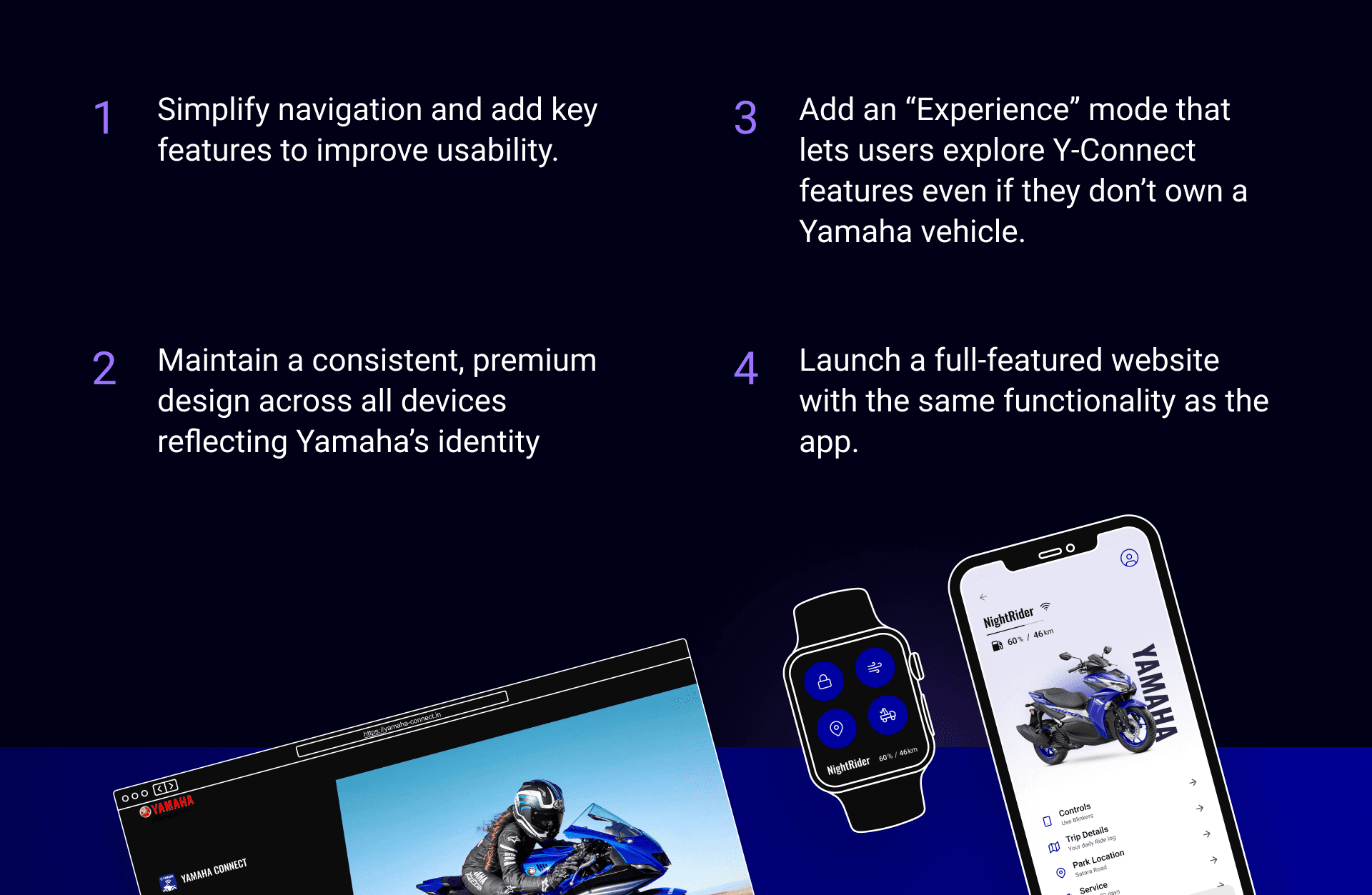
I started with the mobile app, fixing key frustrations. Then extended that same logic to desktop and smartwatch—so riders always have fast access to what matters, wherever they are.
Role
Product Designer, Researcher, Visual Designer
PLATFORMS
Mobile, Desktop, Smart Watch
Skills
User Research, Visual Design, Interaction Design
Timeline
2 months
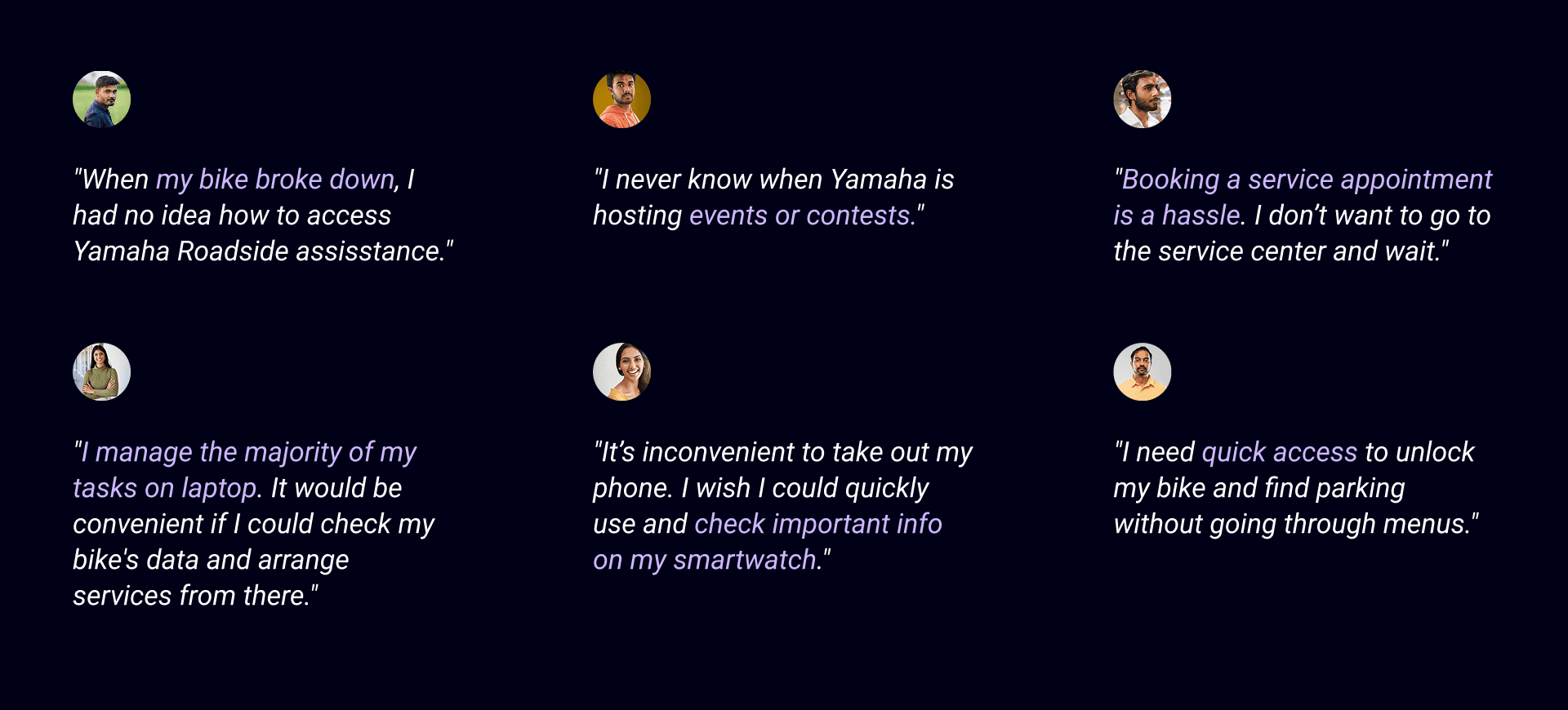
What customers say?
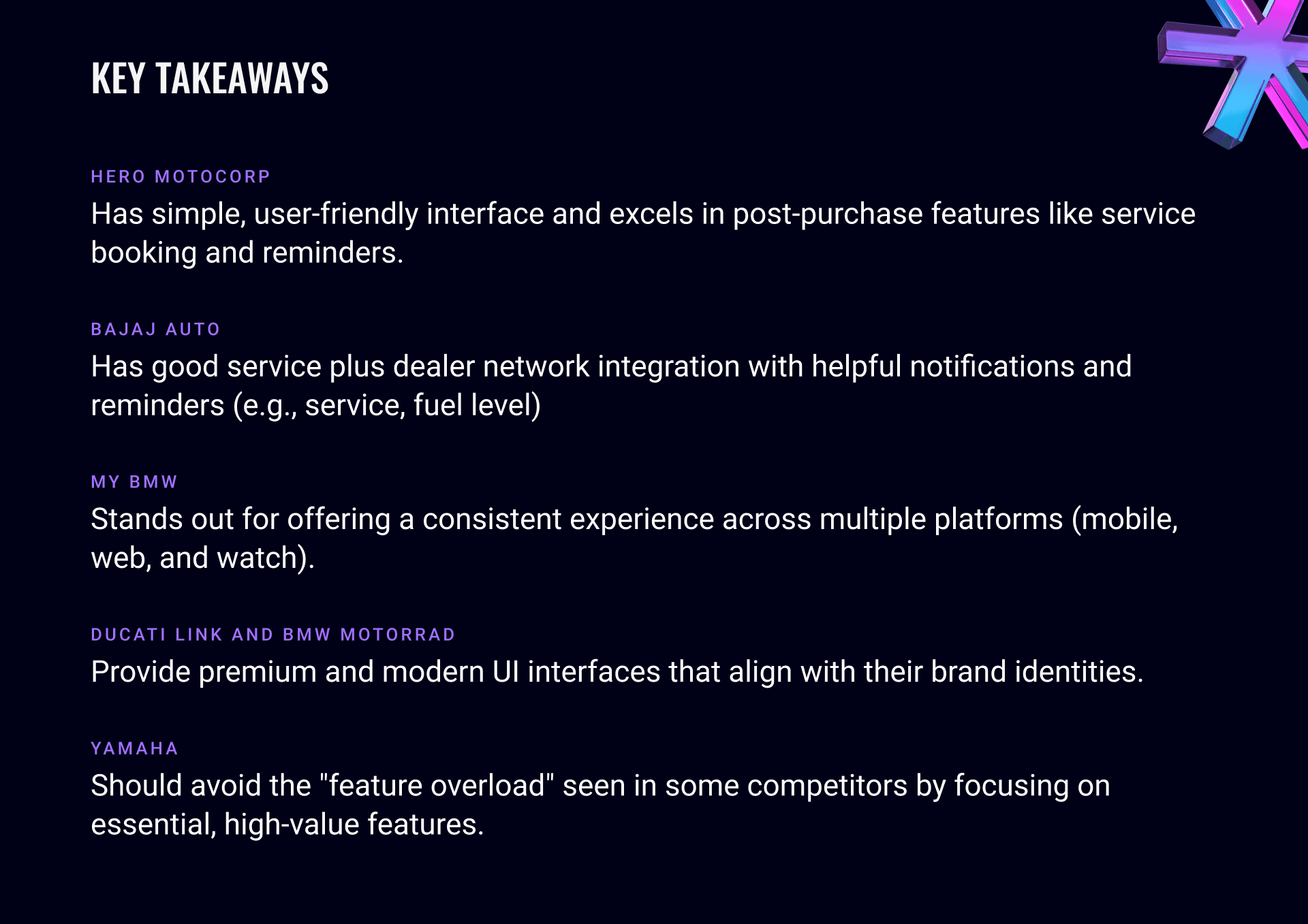
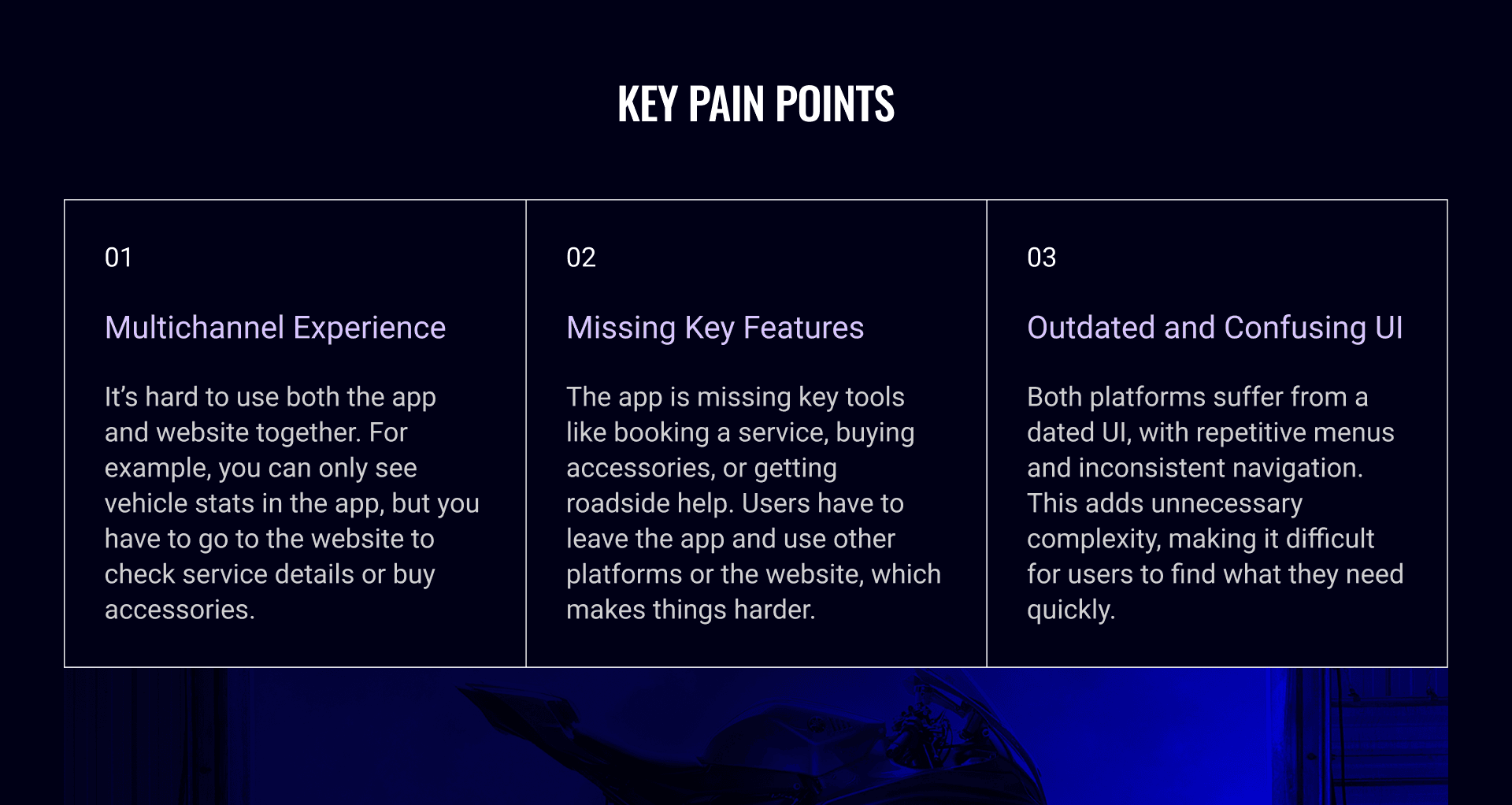
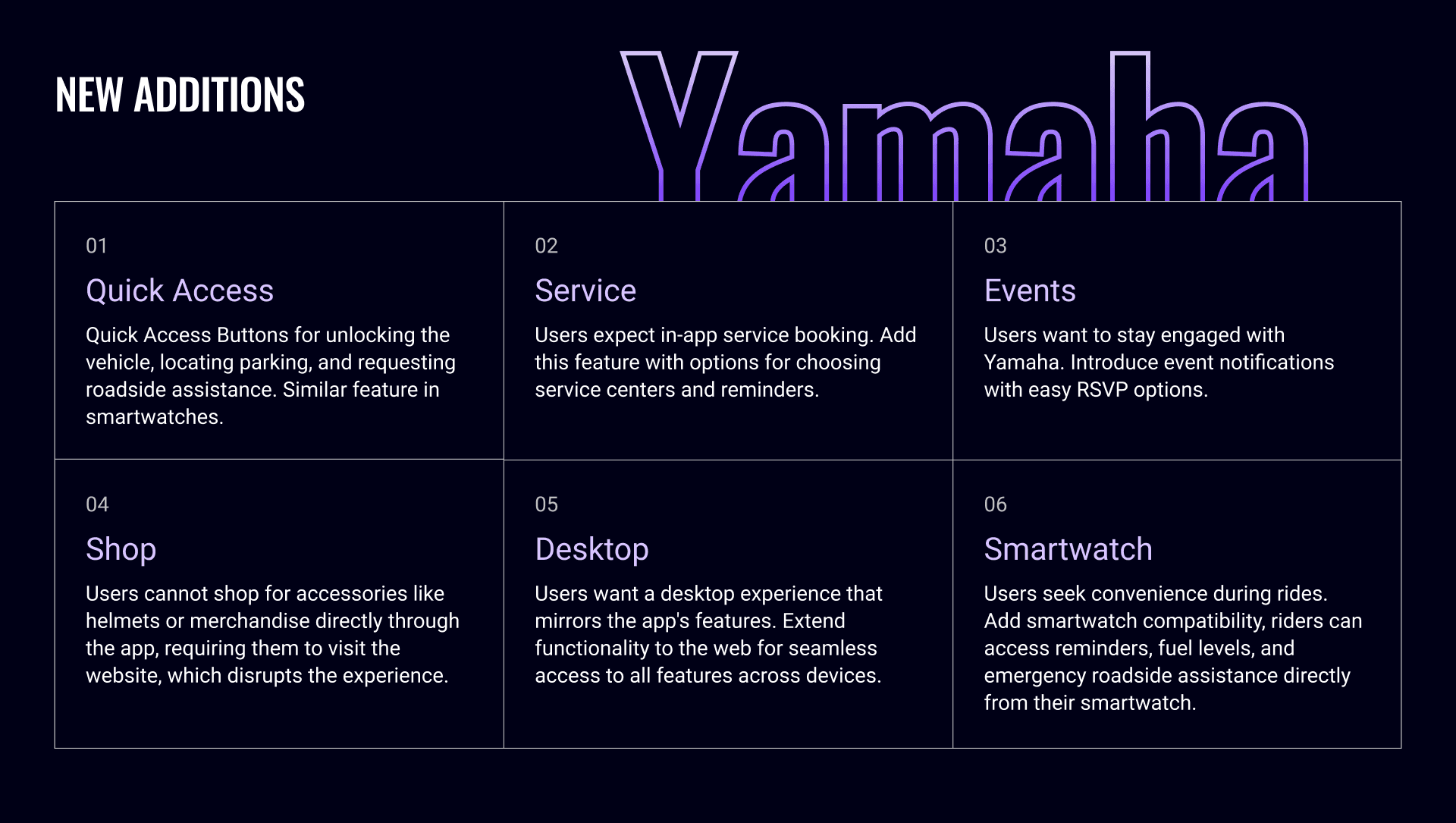
Listening to Yamaha vehicle owners helped understand what really matters after buying a bike. Many shared similar complaints — from missing app features to confusing navigation.
Multichannel experience
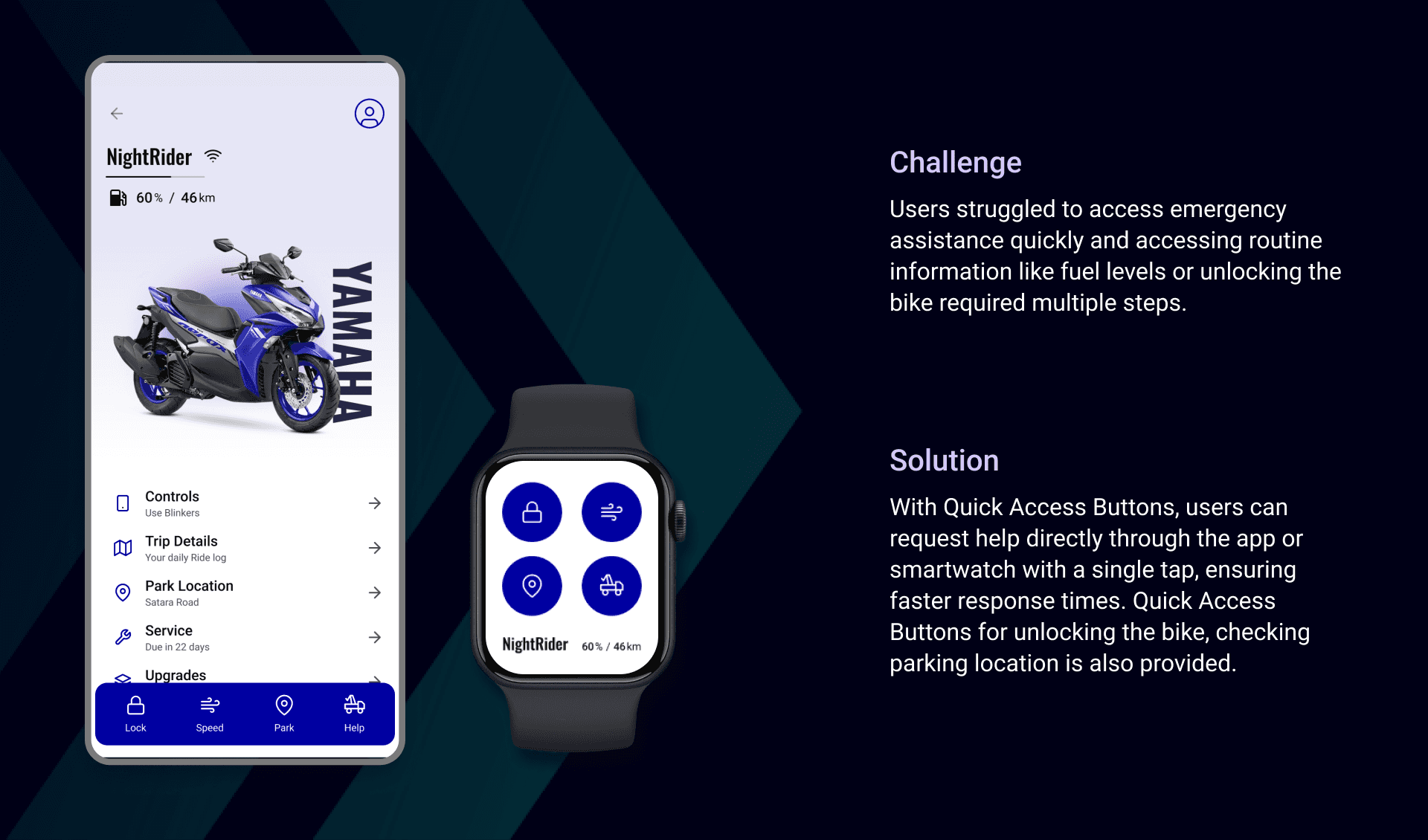
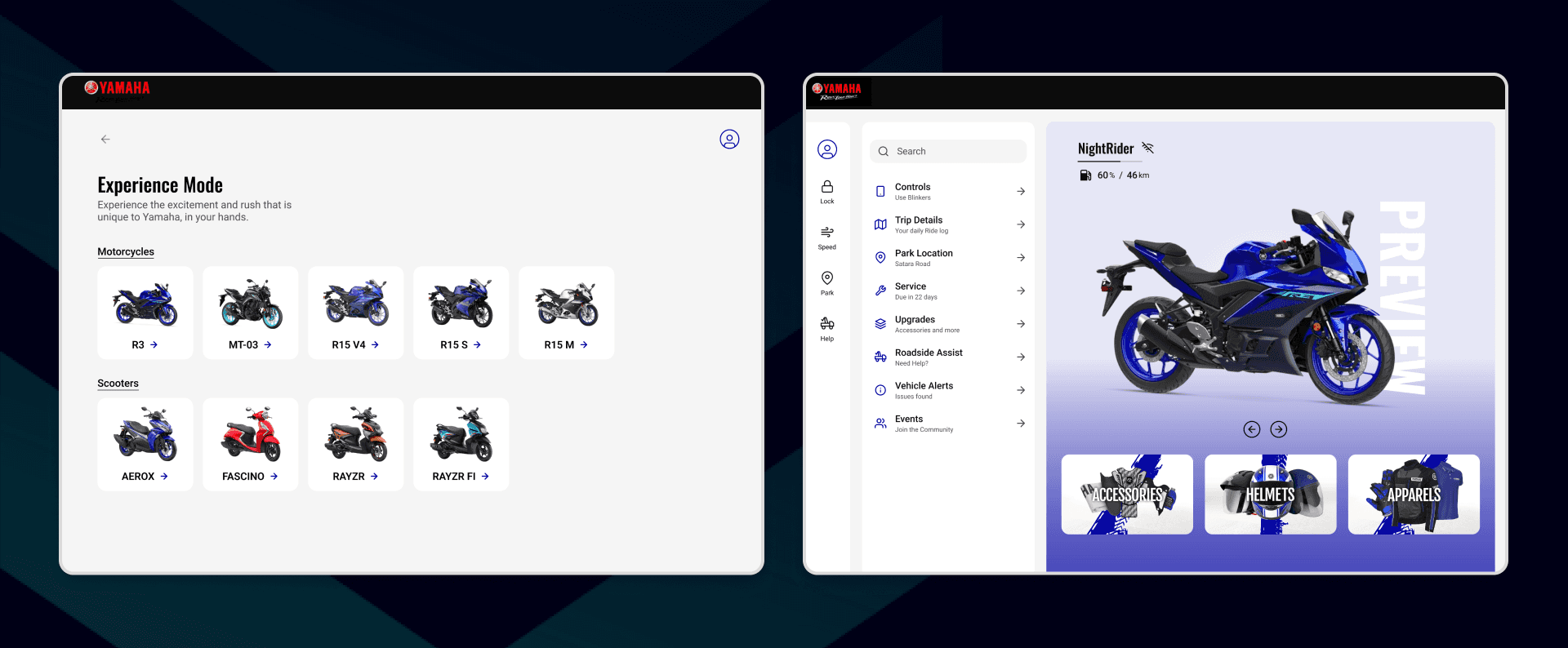
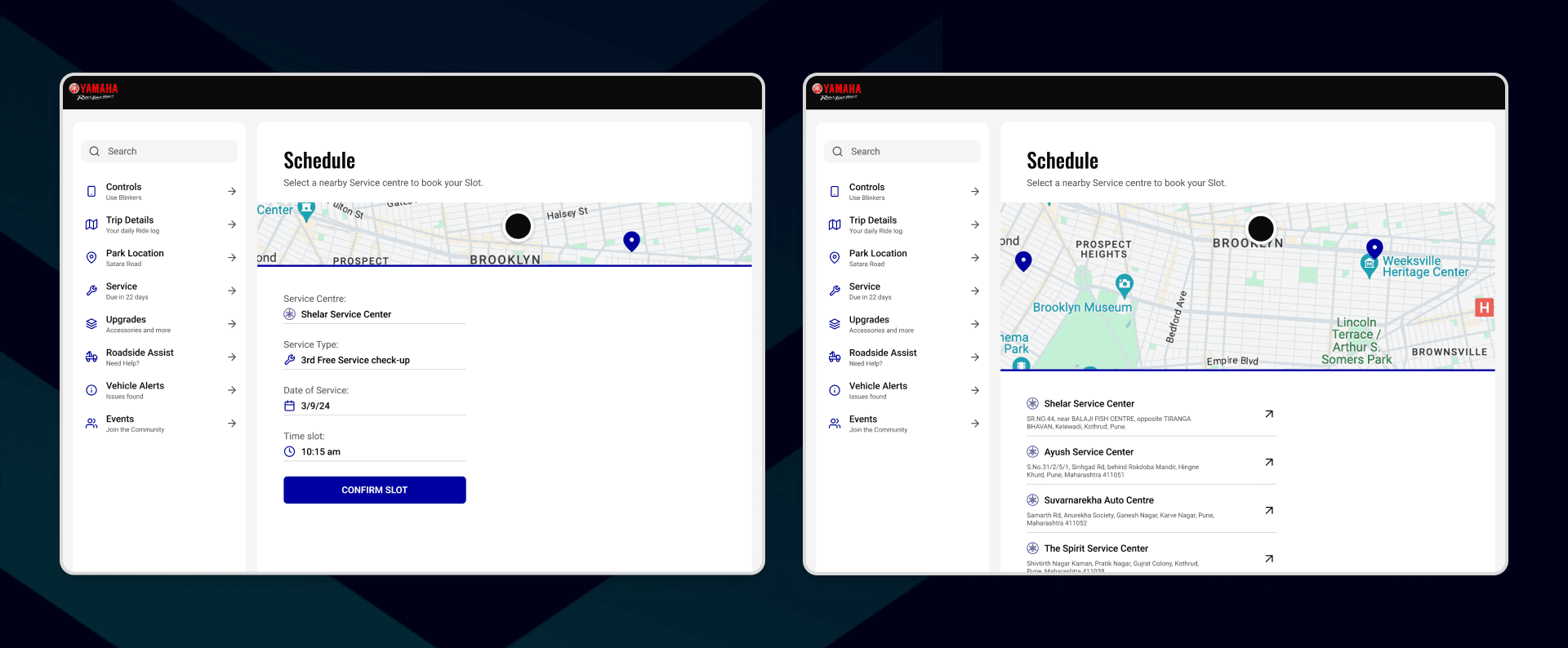
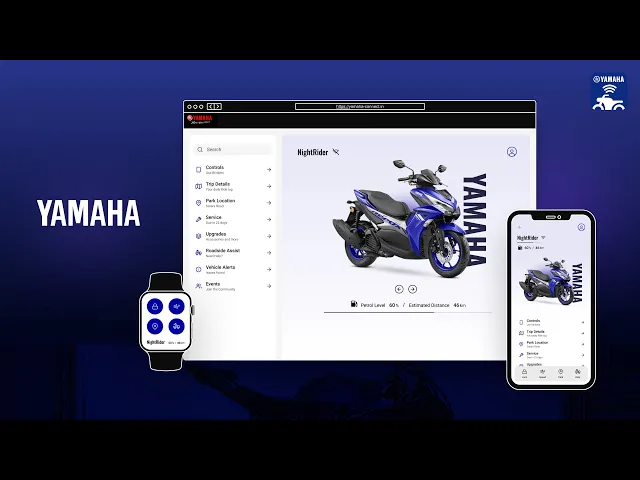
Integrates both the app and website, ensuring that users have access to the same functionalities across all platforms. This means a user can check trip details, book a service, or shop for accessories on their phone, smartwatch or desktop without losing consistency.
Onboarding on Mobile
The app guides users through features, helps them create a Yamaha ID, and register their bike by scanning a QR code. Designed for quick setup and smooth first-time use.
Onboarding on desktop
The website shows what the app can do and lets users link their bike by scanning a code. It works as a starting point for new buyers.
Redesigned Home
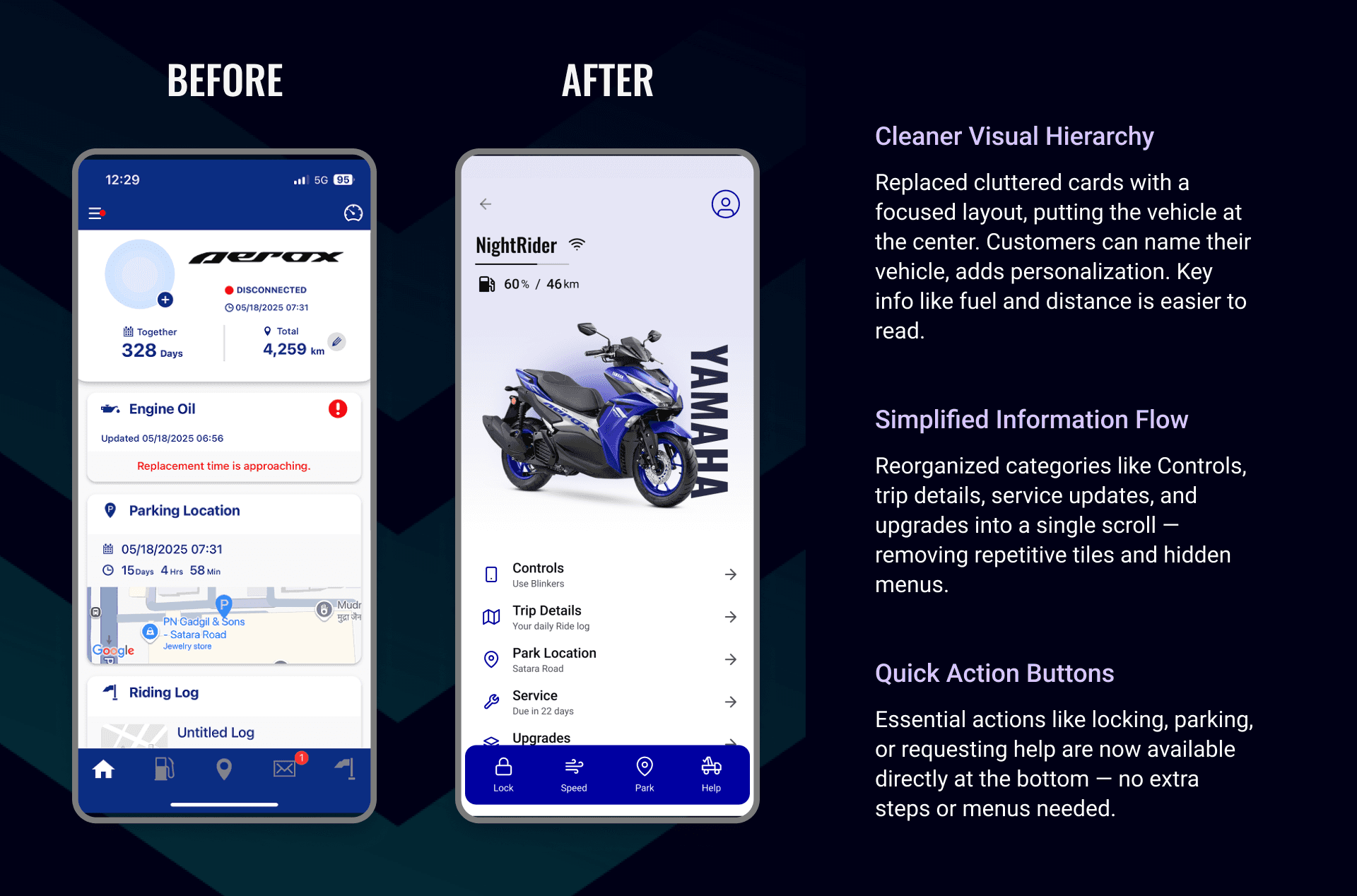
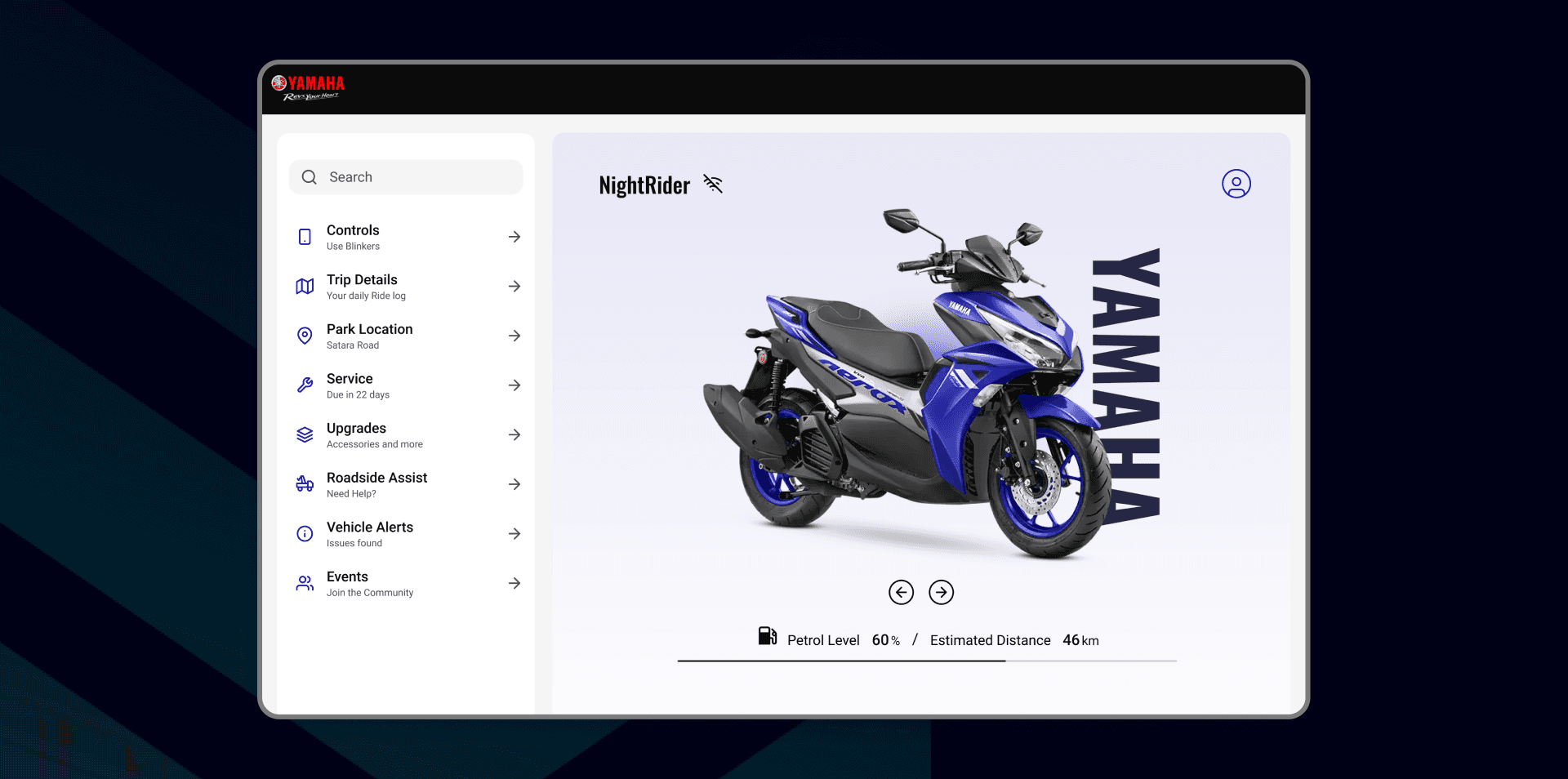
Users can check fuel, bike stats, and unlock the vehicle in one place. It’s made for quick daily use without extra steps.
Help buyers experience Yamaha before they commit
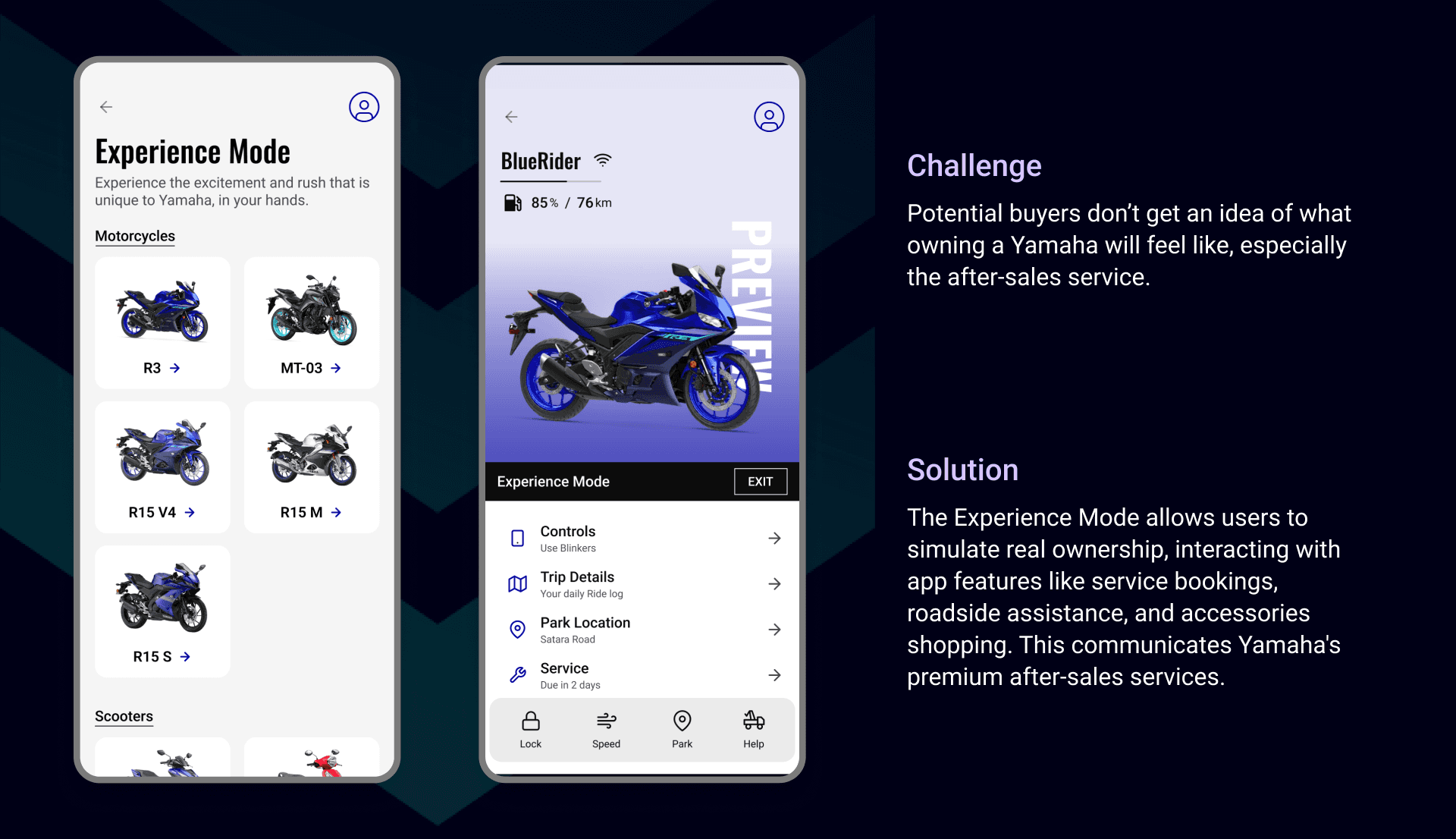
Potential buyers can use Experience Mode in the app or on the Yamaha Connect website to explore key after-sales services like roadside assistance, service booking, and accessories — giving them a clear sense of what it’s like to own a Yamaha.
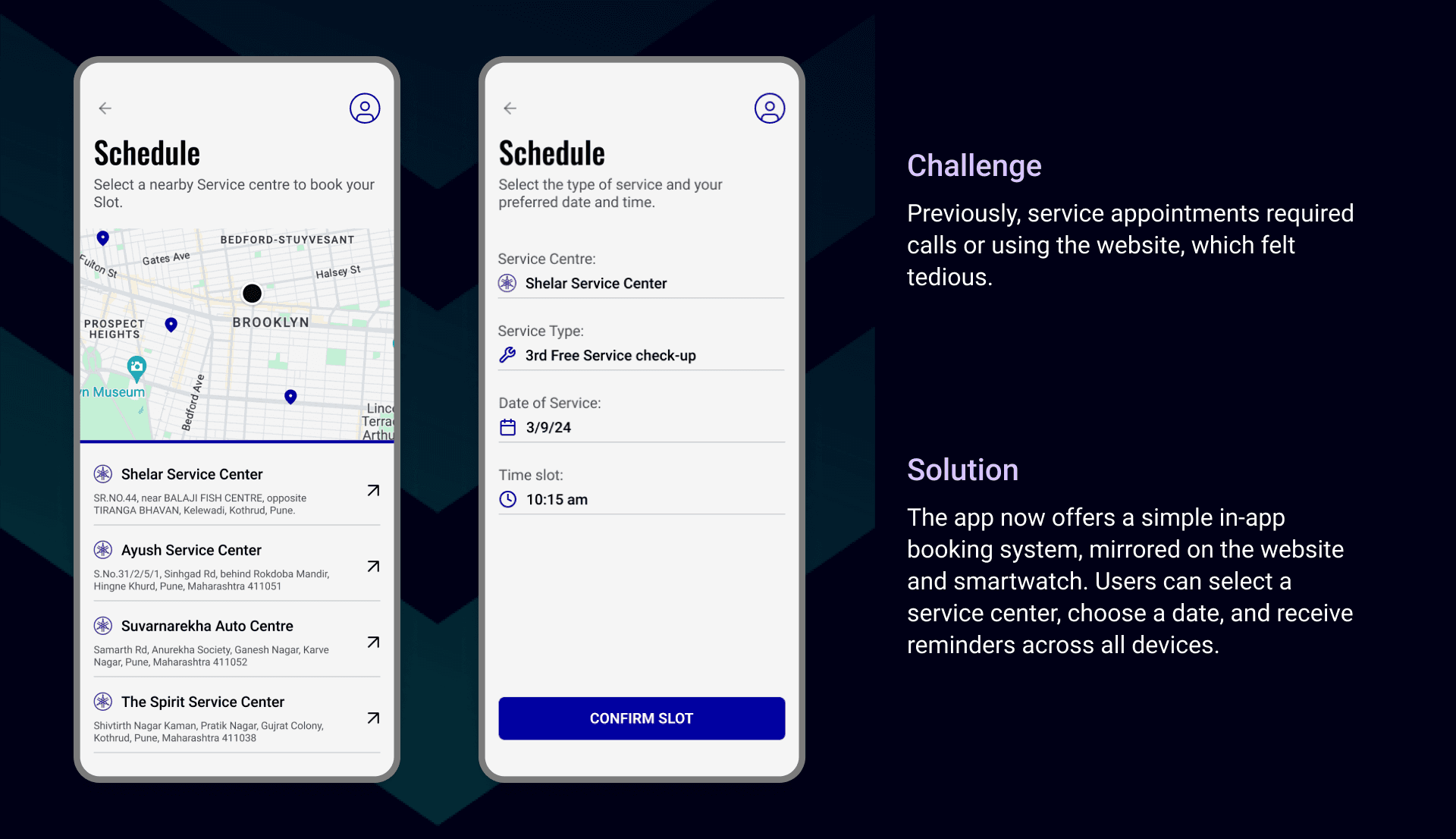
Book bike service in seconds, from any device
The user gets a reminder when their bike needs maintenance and easily schedules a service appointment through the app, tablet, or desktop — no calls or visits required.
demo VIDEO
Curious to see how it all works?